
This post was written in September 2011. When Google Analytics was in beta. See the original post below intact. Google Analytics, has certainly come a long way since then.
In case you missed it, Google just announced GA4 will be the standard from July 2023. GA3 or GA UA (Universal Analytics) will stop collecting data then. but we get to keep the historical data. Therefore this updated post will be useful still for at least a couple of years or more. GA 4 is not covered here. I may do so in another post.
Extract Google Analytics Organic Keywords
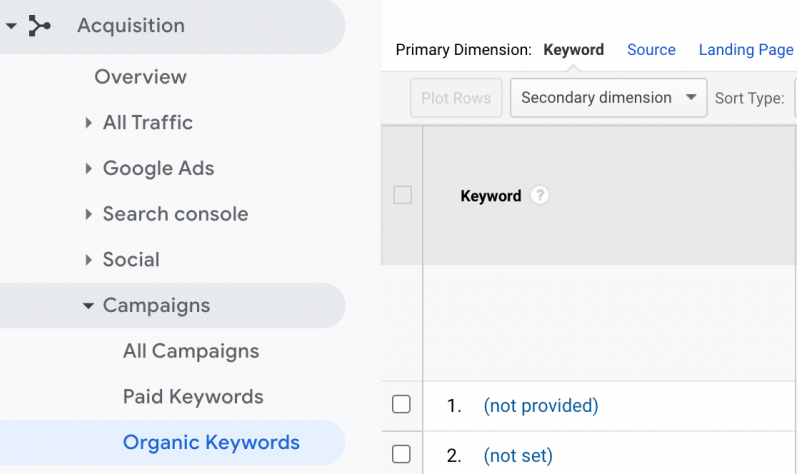
You may be aware that a few years ago, Google stopped giving GA users organic keyword data. Back then in the beginning of GA, we used to get this juice data from the horse’s mouth. Google thought that was too much and only gives us keywords for users that are not logged in to a Google account. This means most accounts get around 90% of “not provided” keywords. So for SEO, these reports are not very useful.
For the new version select traffic sources and follow the path:
Acquisition >> Campaigns >> Organic Keywords.
Extract Google Analytics Paid Keywords
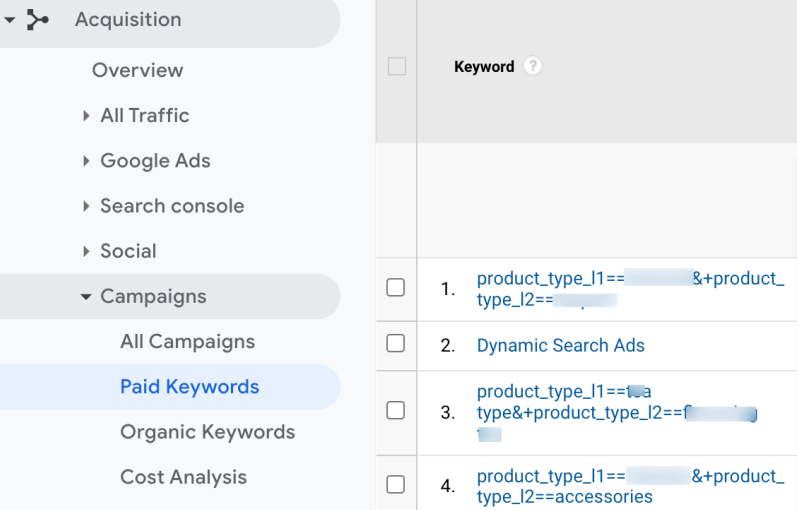
For the new version select traffic sources and follow the path:
Acquisition >> Campaigns >> Paid Keywords.
Extract Google Analytics Search Console Queries
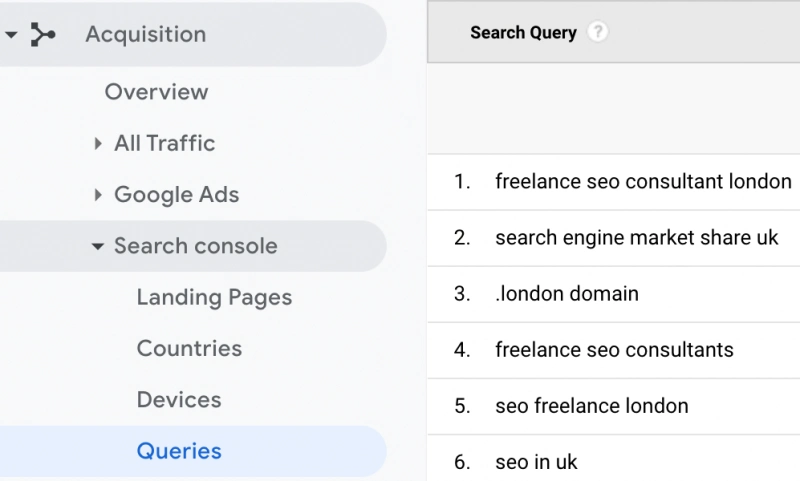
For the new version select traffic sources and follow the path:
Acquisition >> Search Console >> Queries
Email Paid Search Keywords Report
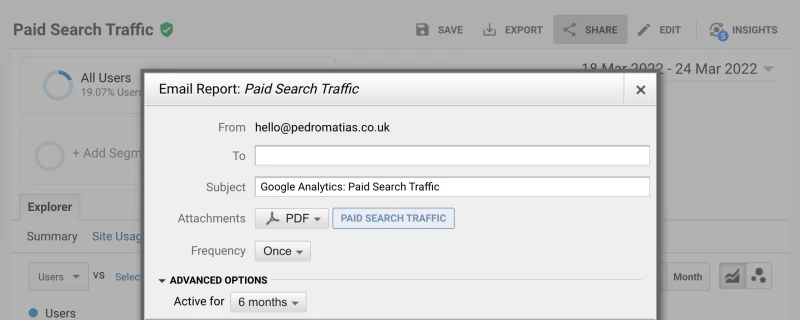
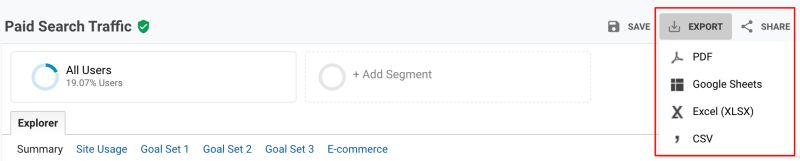
You can email these reports to yourself or anyone else. You can even schedule these to be sent periodically. The formats available are PDF, CSV, XLSX and Google Sheets.
This also works in the same way for organic keywords and Search Console queries.
Export Paid Search Keywords
You can also just export these reports. The formats available are PDF, CSV, XLSX and Google Sheets.
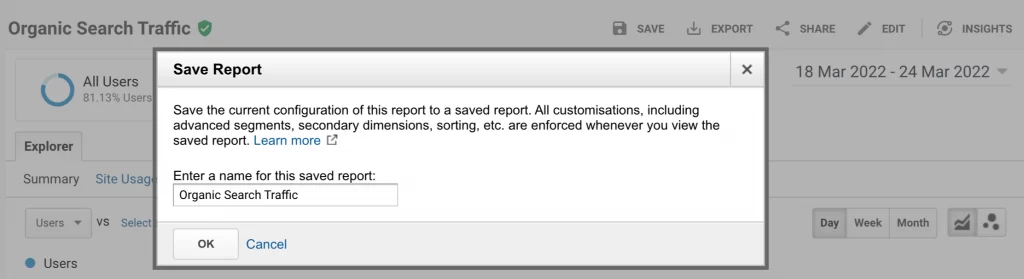
Save Organic Search Keyword Report in GA UA
Alternatively, you can save these reports in your GA saved reports section. You do this by clicking the save button with the diskette symbol as below.
That’s it
The below was all written in September 2011. When Google Analytics was in beta.
I decided to leave it all as intact as when it was originally posted. For historical records, and also due to the fact that this decade-old post. A very short one at that. Has a featured snippet for “Extract Google Analytics Keywords“.
Extracting your keywords from Google Analytics will give you great insight into what keywords are bringing traffic to your site, particularly useful for the long tail queries, if you are passed just looking at your standard analytics reports, I probably don’t need to explain what long tail means in SEO terminology. If you do, these are simply search queries composed of three or more words. While we are at it short tail keywords are composed of one or two keywords.

Extract Google Analytics Keywords
Go into your GA and select traffic sources, then select keywords, for the old version of Google Analytics go there via this path:
Traffic Sources >> Keywords.
For the new version select traffic sources and follow the path:
Traffic Sources >> Sources >> Search >> Organic.
In the new version, you can segment your keywords more easily, the path above is for organic keywords, just below under it, you can also extract paid keywords. That will of course give you the PPC keywords if you are using Paid Ads. If you not, you’ll see nothing. Obviously.
Select your favourite format (CSV or CSV for Excel) and export. See the image above.
Now that you’ve got your keywords, you can choose the ones you think have some probability of being used again or their variations and there should be some ideas to help you write new or review existing content.
Did you find this post helpful? You should share it on social or let me know in the comments below.
UPDATE on 12/09/2011 – If you got here with a query similar to: “google analytics problem export CSV”, you are probably using the old version of Google Analytics, I recently had a similar problem, try using the new beta version and there it should work fine.
